For real estate agents
AI virtual staging for real estate listings
Turn empty or dated rooms into furnished, listing-ready photos in seconds. No furniture rental, no scheduling, and several styles to match every buyer.
- 5 free credits
- No credit card
- Commercial license on Business
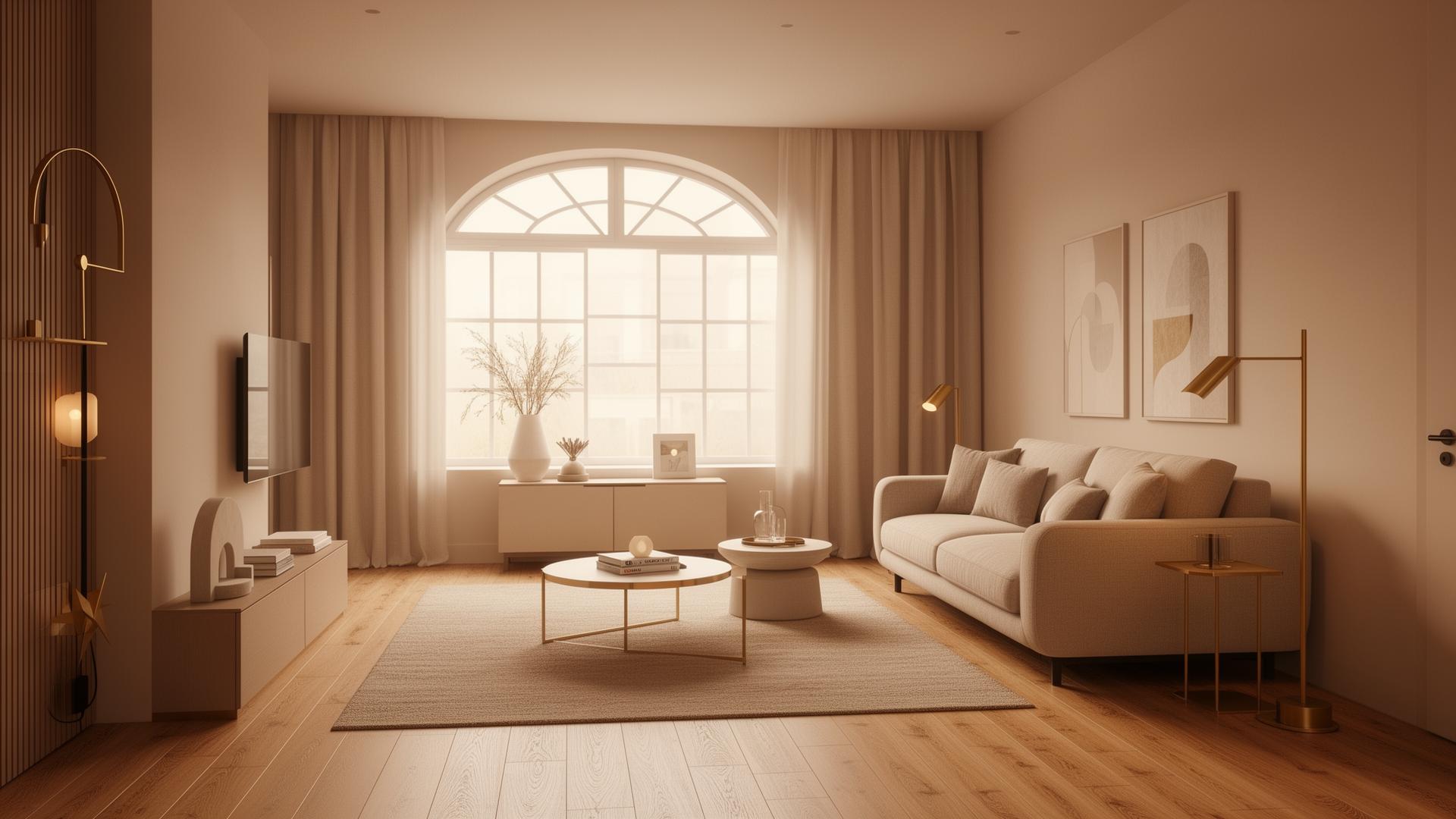
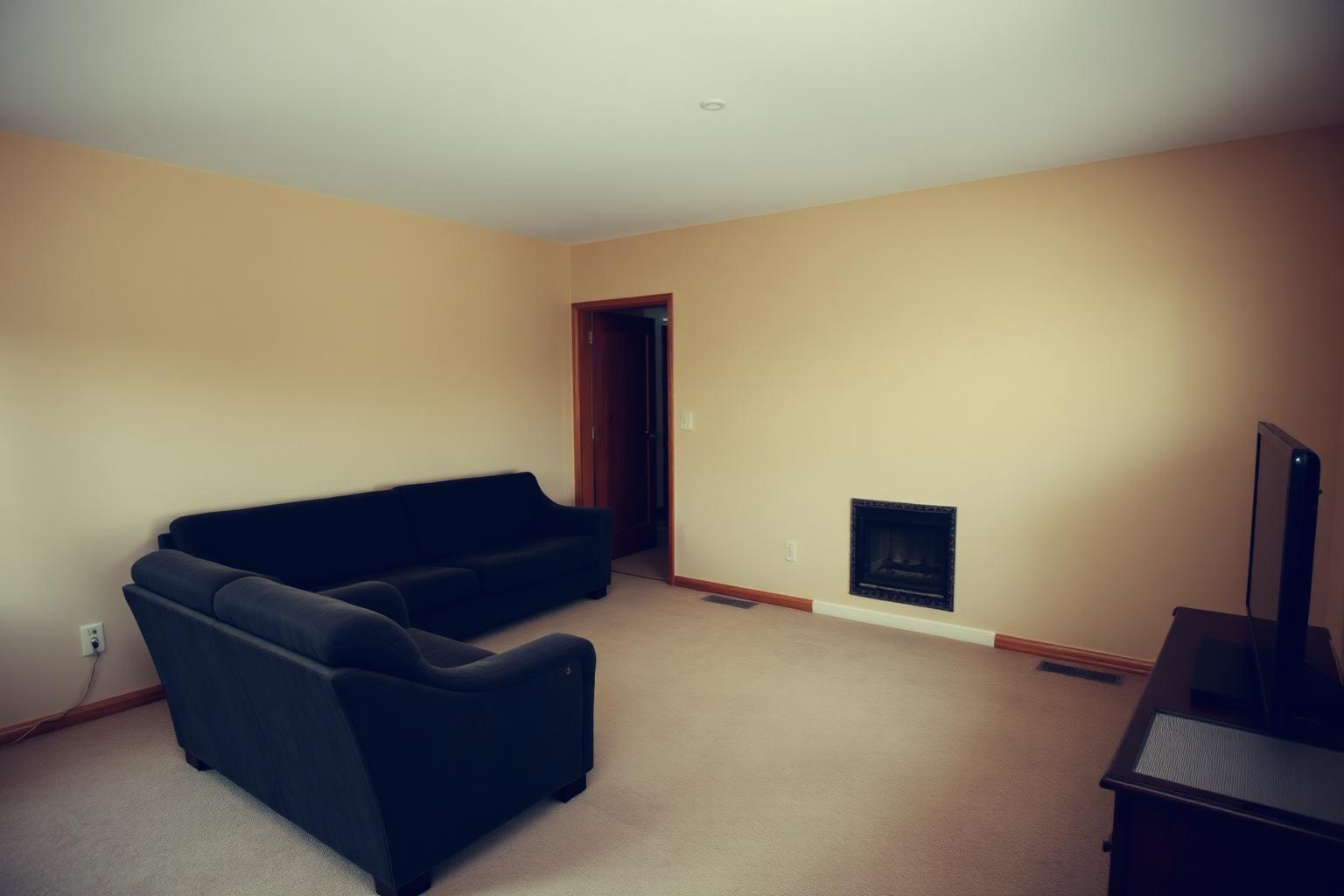
Why stage your listings?
Empty rooms are hard to read in photos: buyers can't judge scale or imagine daily life in them. Staging fills that gap, and agents see the effect.
83%
of buyers' agents say staging makes it easier for buyers to visualize the property as their future home. [1]
29%
of sellers' agents reported a 1% to 10% increase in the dollar value offered for staged homes. [1]
The living room is the room agents most often consider important to stage, which makes it the best place to start.
Virtual staging vs physical staging
Physical staging still shines at in-person showings of high-end homes. For listing photos, especially of vacant or remote properties, virtual staging is faster and a fraction of the cost.
| Physical staging | Virtual staging with RoomVision AI | |
|---|---|---|
| Cost | Often $2,000–$6,000+ for a vacant home, plus $500–$2,000/month furniture rental¹ | Business plan: 699 DKK/month (roughly US$100) for 1,000 credits |
| Turnaround | Days to schedule, deliver and set up furniture | Seconds per room |
| Styles | One look per listing | Try several styles for different buyer profiles |
| Vacant & remote listings | Furniture must be moved in and out again | Only a photo is needed |
| In-person showings | Buyers see the furniture on site | Rooms are empty at viewings, so label photos clearly |
¹ Typical ranges from 2026 cost guides; prices vary by market and home size. [2]
How to virtually stage a listing in 4 steps
Photograph the room
Shoot in landscape from a corner at standing height, with the lights on and blinds open. Wide shots that show the floor and at least two walls give the best results.
Upload and choose “Virtual staging”
Pick the room type (living room, bedroom, kitchen…) and the virtual staging goal. RoomVision keeps the walls, windows and floor plan and furnishes the space.
Match the style to the buyer
Choose from 15+ styles. Modern or Scandinavian for city apartments, Farmhouse or Classic for family homes, Luxury Modern for high-end listings. Each credit gives you three options.
Refine, label and publish
Fine-tune with a text edit such as “lighter sofa, fewer accessories”, download in HD, label the image as virtually staged and publish it next to the original photo.
Disclosure and MLS rules
Virtual staging is allowed, but how you present it matters. Since January 1, 2026, California's AB 723 requires real estate licensees to clearly mark digitally altered marketing images, virtual staging included, and to make the original, unaltered photo available. MLSs such as Bay East now require the original to be shown directly after the altered image. [3]
Rules differ by state and MLS. This is general information, not legal advice.
Best-practice checklist
- Label every virtually staged image clearly, e.g. “Virtually Staged” or “Digitally Altered”.
- Publish the original, unedited photo directly after the staged version.
- Only change furniture and décor. Never alter walls, windows, views, flooring condition or defects.
- Check your local MLS rules and state law before publishing.
RoomVision keeps your original photo in the project, so the unedited version is always one click away.
Built for agents: the Business plan
699 DKK/month (roughly US$100) for 1,000 credits, a commercial license for listings, bulk virtual staging and white-label PDF exports. Each credit gives you three design options, which works out to under 1 DKK per credit.
Want to test first? Start free with 5 credits, no credit card required.
Virtual staging FAQ
Want more detail? Read our guide how virtual staging helps listings sell faster.